

Summarize in
An Airbnb welcome book is the single piece of content that does the most work for the least effort: it answers the same 20 guest questions you'd otherwise field at 11pm, it pre-sells your local recommendations, and it sets the tone before a guest even unlocks the door.
The catch is that most hosts know they need one but never get past a blank page.
This guide fixes that. You'll get a free printable template you can fill in tonight, the option to generate a fully personalized digital version in 60 seconds, plus five real examples from Touch Stay hosts you can steal ideas from.
Two ways to start your welcome book:
A. The instant route — Paste your Airbnb URL into our AI Guidebook Generator and get a fully personalized digital welcome book in under 60 seconds. Edit, brand, and share.
B. The printable route
Or skip ahead to learn:
- What is an Airbnb welcome book?
- Why are Airbnb welcome books important?
- What should an Airbnb welcome book include?
- How to create Airbnb welcome books in 5 steps
- Best Airbnb welcome book examples
- Handcrafted vs. digital Airbnb welcome books
What is an Airbnb welcome book?
An Airbnb welcome book, also known as an Airbnb guest book or guidebook, is a comprehensive guide provided to guests upon arrival at your rental property. It contains essential information about the property, local area, and house rules, designed to enhance their stay and answer frequently asked questions. Think of it as a helpful handbook that empowers your guests to navigate their stay with ease.
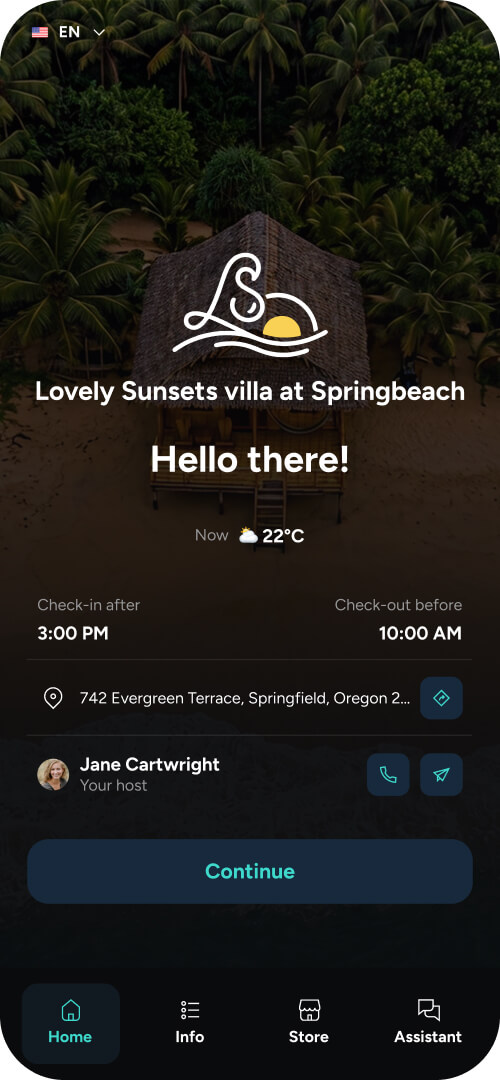
Example: Imagine a guest arriving late at night. Instead of fumbling for the Wi-Fi password or struggling to figure out how to operate the thermostat, they can simply consult the digital welcome book on their phone. This easy access to information creates a positive first impression and sets the tone for a smooth stay.
Why are Airbnb welcome books important?
Airbnb welcome books offer a multitude of benefits for both hosts and guests. They streamline communication, enhance the guest experience, and ultimately contribute to a more successful hosting business.
1. Important information
A well-organised welcome book ensures guests have access to crucial information at their fingertips. This includes everything from Wi-Fi passwords and appliance instructions to emergency contact details and house rules. Having this information readily available reduces confusion and prevents potential issues.
Tip: Standardize your turnover process with an Airbnb cleaning checklist so your property always matches what's promised in the guidebook.
2. Time saving
One of the biggest advantages of an Airbnb welcome book is the time it saves hosts. By proactively addressing common questions and providing clear instructions, you can minimise the number of inquiries from guests, freeing up your time to focus on other aspects of your hosting business or personal life.
3. Better guest experience
A thoughtful welcome book contributes significantly to a positive guest experience. By providing local recommendations, clear instructions, and helpful tips, you demonstrate your commitment to ensuring your guests have a comfortable and enjoyable stay. This attention to detail can lead to glowing reviews and repeat bookings.
4. Local promotion
Your Airbnb welcome book is a valuable opportunity to promote local businesses and attractions. By recommending your favourite restaurants, cafes, and activities, you can enhance your guests' experience while also supporting the local economy. This can also be a great way to differentiate your listing and offer something unique to your guests.
What should an Airbnb welcome book include?
A comprehensive Airbnb welcome book should cover all aspects of your guests' stay, from arrival to departure. Here's a breakdown of essential sections with expanded details:
1. Warm welcome
- Personalized welcome message: greet your guests by name and express your excitement for their stay.
- Information about the property and its unique features: highlight what makes your property special, whether it's a stunning view, a cosy fireplace, or a private garden.
- Contact information for the host: provide multiple ways for guests to reach you, including phone number, email, and preferred messaging app.
2. Arrival and departure information
- Check-in/check-out procedures: clearly outline the check-in and check-out times and any specific instructions, such as where to find the keys or how to access the property.
- Directions to the property: provide detailed directions, especially if your property is located in a remote area or difficult to find. Consider including a map or GPS coordinates.
- Parking instructions: specify parking options available to guests, including designated spots, street parking regulations, or nearby parking garages.
- Key access information: explain how guests can access the property, whether it's through a lockbox, smart lock, or by meeting you in person.
3. List of amenities
- Detailed list of available amenities: provide a comprehensive list of all amenities available to guests, including Wi-Fi, appliances, toiletries, linens, towels, and any recreational equipment.
- Instructions for using specific amenities: offer clear instructions for using appliances, especially if they are complex or require specific settings. Include photos or videos if necessary.
4. Property rules
- House rules: clearly state all house rules, including quiet hours, pet policies, smoking restrictions, guest limits, and any other relevant regulations.
- Guidelines for using shared spaces: if applicable, provide guidelines for using shared spaces, such as pools, hot tubs, or laundry facilities.
5. House information
- Information about the property's features: explain how to operate the heating, cooling, and water systems. Provide instructions for adjusting the thermostat, turning on the hot water, or managing the air conditioning.
- Local area information: provide information about nearby shops, grocery stores, pharmacies, and other essential services.
6. Local tips and activities
- Recommendations for restaurants, cafes, and bars: share your favourite local dining spots, from casual cafes to fine dining restaurants. Consider categorising your recommendations by cuisine or price range.
- List of local attractions and activities: highlight must-see attractions, popular activities, and hidden gems in the area. Provide information about opening hours, ticket prices, and transportation options.
- Transportation options and information: provide details about public transportation, taxi services, ride-sharing apps, and car rental options.
Pro tip: Learn how to (and why) to create the perfect Local Area Guide.
7. Practical instructions
- Instructions for using appliances: provide clear instructions for using all appliances, including the TV, washing machine, dryer, dishwasher, and coffee maker.
- Wi-Fi password and connection instructions: clearly display the Wi-Fi password and provide instructions for connecting to the network.
- Information about parking: reiterate parking instructions and any specific rules or restrictions.
Pro tip: easily add videos to simplify practical instructions and bring your digital guidebook to life.
8. Safety and emergency information
- Emergency contact numbers: list emergency contact numbers for police, fire department, ambulance, and local hospitals.
- Location of fire extinguishers and smoke detectors: clearly indicate the location of fire extinguishers, smoke detectors, and carbon monoxide detectors.
- Evacuation procedures: provide clear evacuation procedures in case of emergencies, including escape routes and assembly points.
9. Frequently asked questions
- Answers to common guest questions: anticipate common guest questions and provide clear and concise answers. This could include questions about check-in/check-out procedures, amenities, local attractions, and house rules.
10. Special extra information
- Recommendations for babysitters or pet sitters: if appropriate, provide recommendations for local babysitters or pet sitters.
- Information about local events or festivals: inform guests about any local events or festivals happening during their stay.
- Personal touches that make your property unique: add personal touches that make your property stand out, such as a welcome basket, a guest book, or a collection of local guidebooks.
Tip: Complement your welcome book with a physical welcome gift. Browse our welcome basket ideas for inspiration.
How to create an Airbnb welcome book in 5 steps
Whether you're filling in our printable template or using the AI generator, the process is the same. Here's the order that works.
Step 1: Gather your information before you write anything
Before you open a template, spend 20 minutes pulling together the practical details in one place. You'll need:
- Wi-Fi name and password
- Check-in and check-out times and procedures
- House rules (quiet hours, pets, smoking, max guests)
- Appliance instructions (especially the heating, hot water, coffee machine, and TV)
- Emergency contacts (local police, hospital, your number)
- Parking details and any local restrictions
- Your top 10 local recommendations across food, drink, activities, and essentials
Tip: pull this together once, save it as a "master doc," and reuse it across every property and platform — your welcome book, your Airbnb listing, your auto-messages.
Step 2: Choose your format
You have three options:
- Printable — Best if you want a physical book on the kitchen counter and your property has a clear style you want to match. Use our free template as a starting point.
- Digital — Best if you want guests to access it before arrival, want analytics on what they actually read, or manage more than one property. Generate one in 60 seconds here.
- Both — Most experienced hosts run both. Digital for pre-arrival and convenience; printed for the in-property "wow" moment.
See the printable vs. digital comparison further down if you're not sure.
Step 3: Write the welcome page first
The welcome page is the only section guests will definitely read, so spend disproportionate time on it. Three things to include:
- A short personal greeting (one or two lines — name them if you can)
- One sentence about what makes the property special
- The single most important piece of practical info (usually Wi-Fi or check-in instructions)
Skip the corporate "We hope you have a wonderful stay" energy. Write the way you'd talk to a friend who's just walked in the door.
Step 4: Fill in the practical sections, then the local recommendations
Work top-down through the sections from the list above. Start with the boring-but-essential stuff (arrival, amenities, rules, safety) because that's the information guests urgently need. Then move to the fun stuff (local food, activities, hidden gems) because that's the information guests enjoy reading.
Two rules that separate good welcome books from great ones:
- Be specific, not generic. "Great Thai place nearby" is useless. "Bangkok Cafe — 8 min walk, get the pad see ew, cash only, closed Tuesdays" is the kind of detail guests screenshot and send to friends.
- Add photos and videos where words fail. A short clip of how to work the temperamental shower beats three paragraphs of instructions. Digital guidebooks make this easy; printed ones can use QR codes that link to a short video.
Step 5: Test it, then iterate
Before you call it done, hand your welcome book to someone who has never been to your property and ask them to find five specific things (the Wi-Fi password, the check-out time, the nearest pharmacy, a dinner recommendation, what to do if the heating breaks). If anything takes them more than 30 seconds, fix it.
Then iterate every quarter. Local restaurants close. Wi-Fi passwords change. New attractions open. The hosts with the highest review scores are the ones who treat their welcome book as a living document, not a one-time project.
Pro tip: if you use Touch Stay, you'll see analytics on which sections guests actually open — so you know exactly what to fix and what to keep.
Tips for creating a high-quality Airbnb welcome book:
- Keep it concise and easy to read: use clear language and avoid jargon. Break up large blocks of text with headings, bullet points, and images.
- Use visuals: include high-quality photos and maps to make the information more engaging and easier to understand.
- Make it mobile-friendly: ensure your welcome book is easily accessible and readable on mobile devices. Test it on different screen sizes to ensure optimal viewing.
- Personalize it: add a personal touch to make your guests feel welcome. This could be a handwritten note, a welcome gift, or a personalized message in the welcome book.
- Keep it up-to-date: regularly review and update your welcome book to ensure the information is accurate and current. Outdated information can lead to frustration and confusion for your guests.
- Proofread carefully: before sharing your welcome book with guests, proofread it carefully for any typos or grammatical errors. A polished and professional welcome book reflects well on your hosting business.
Best Airbnb welcome book examples
While the ideal welcome book is tailored to your specific property and guests, here are some of our favourite Touch Stay guidebooks, created by real Airbnb hosts like you:
1. The coastal property welcome book
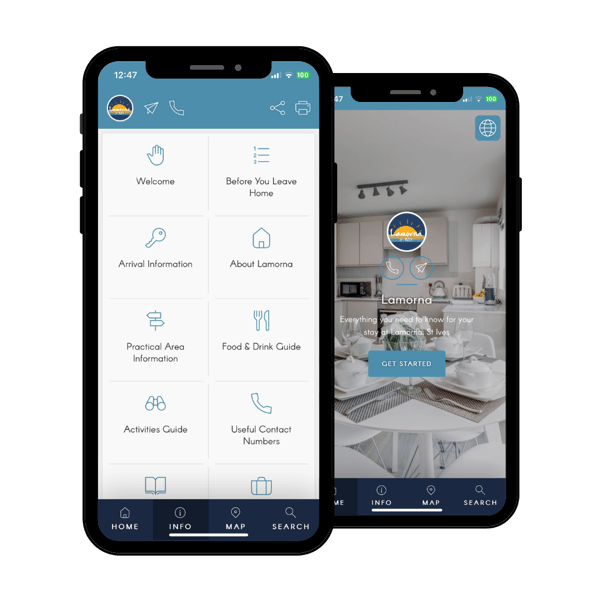
Cornish rental hosts, Lamorna, include a Food & Drink section to their welcome book with three Sub-Categories, as well as an Activities Guide section that includes various Subcategories, like Beaches, Golf Courses, Walking & GeoCaching, Water Sports, Spa Relaxation, plus info about their local castle. Click the guidebook for inspiration.
2. The glamping welcome book
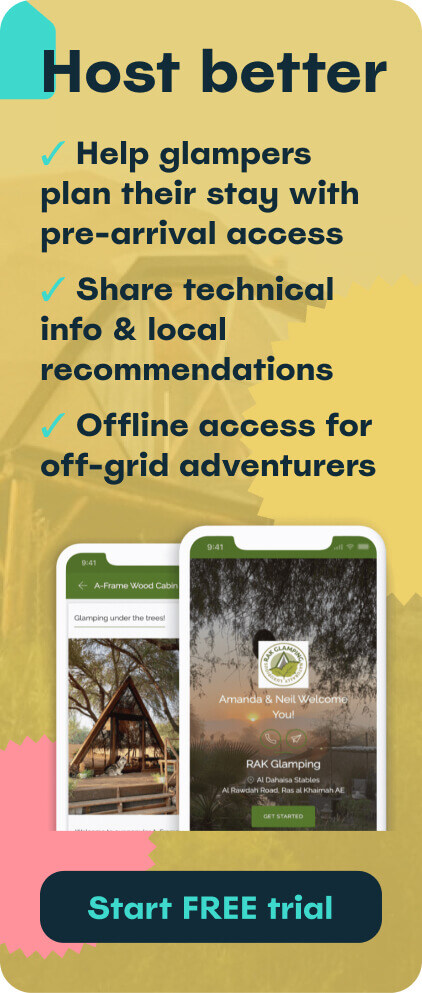
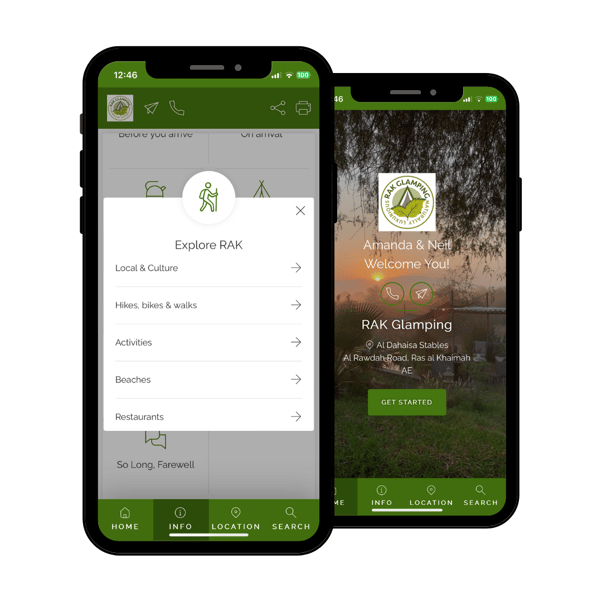
RAK Glamping have created a simple, yet thoughtful welcome book. They have included essential Categories like Local & Culture, Hikes, bikes & walks, Activities, Beaches, Restaurants, and Shopping.
3. The family-friendly lodge welcome book
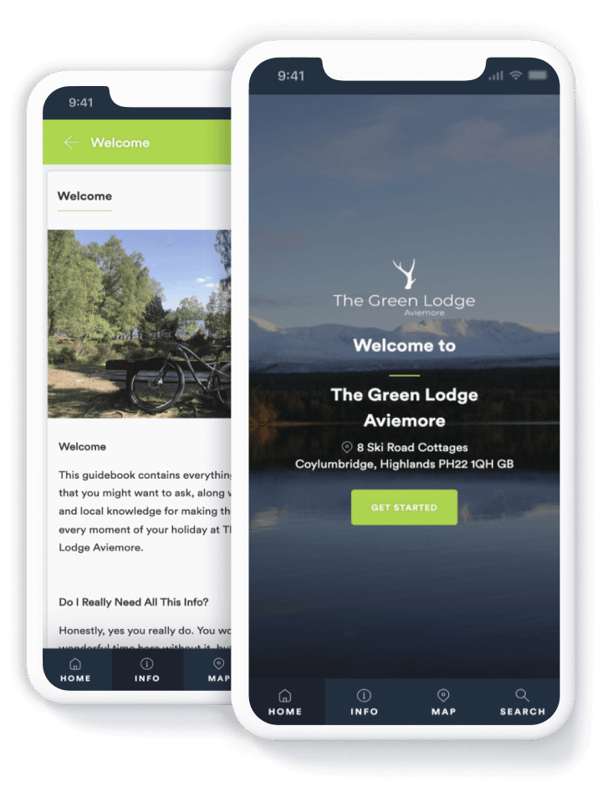
The Green Lodge Aviemore have broken down their digital welcome book into sensible Subcategories, plus added videos and links out to other websites. Click the image below to check it out.
4. The foodie’s destination welcome book
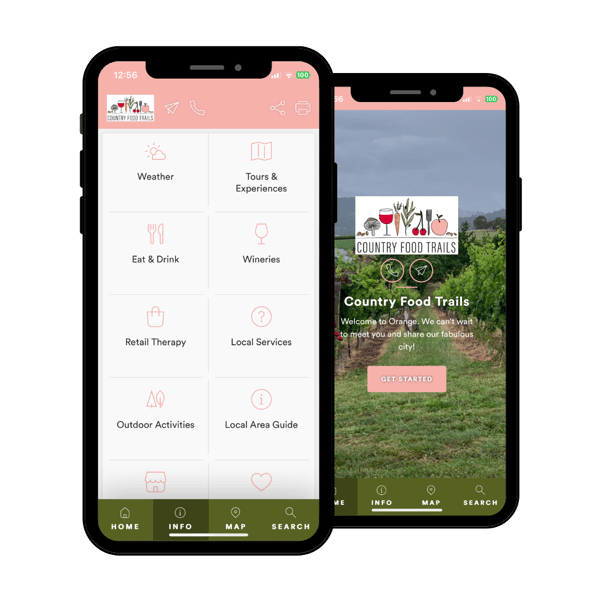
Australia’s Country Food Trails is a fantastic example of a welcome book for a destination, rather than for a short-term rental. It includes inspiration for an abundance of local activities for all types of guests - from Winery Tours, Day Trips, Festivals, For Children, and Markets, to The Arts and Retail Therapy, plus a wide range of accommodation options. Click the guidebook to check it out.
5. The comprehensive travel welcome book
Le Pas Paraloup in France has an extensive welcome book, with Categories and Subcategories including Arts & Culture Sightseeing, The Provençal Markets, Flea Markets, Top 5 Hiking & Cycling Trails, Wineries, Local Waterfalls and much more. 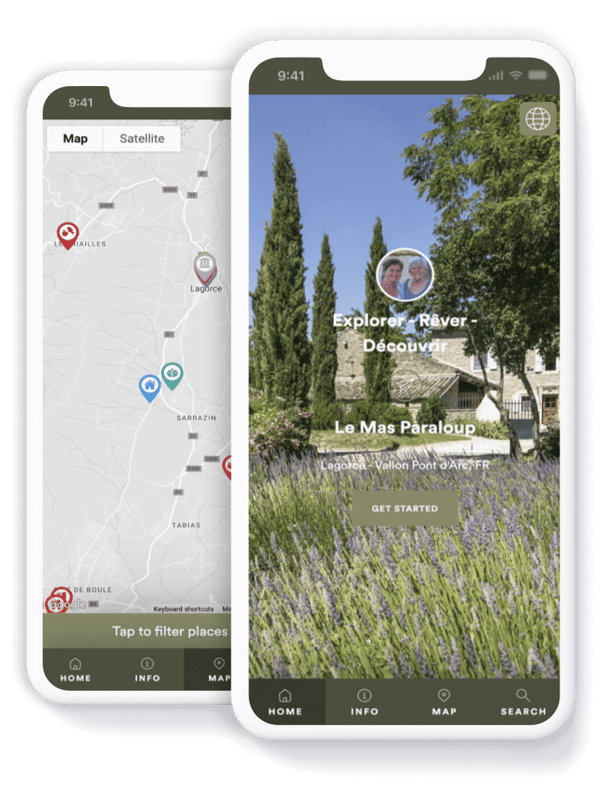
Printable vs. digital Airbnb welcome books: which should you choose?
Most experienced hosts use both — digital for convenience and pre-arrival, printed for the in-property moment. But if you're choosing one to start with, here's how they compare:
| Printable welcome book | Digital welcome book | |
|---|---|---|
| Best for | Hosts with a strong design aesthetic; rural properties with poor signal; one or two listings | Hosts who want pre-arrival access, analytics, or manage multiple properties |
| Cost to create | Free template + printing costs (~$10-20 per book) | Free trial, then ~$10/month per property |
| Time to create | 2-4 hours (writing + design + print) | 60 seconds with AI; 30-60 min to fully customise |
| Pre-arrival access | ❌ No — guests only see it on arrival | ✅ Yes — share via link or QR code before check-in |
| Updates | Reprint required | Instant, real-time |
| Photos | ✅ Yes | ✅ Yes |
| Videos | ❌ No (QR code workaround) | ✅ Yes — embedded |
| Maps | Static images only | ✅ Interactive |
| Multilingual | One language per copy | ✅ Multiple languages, same guidebook |
| Analytics on guest usage | ❌ No | ✅ Yes |
| Works offline | ✅ Yes | ✅ Yes (once loaded) |
| Environmental impact | Paper, ink, replacement costs | Zero waste |
| "Wow" factor on arrival | ✅ High (when well-designed) | Moderate (depends on branding) |
The honest take
A well-designed printable welcome book sitting on a clean kitchen counter still creates a moment that a digital version can't quite match. But it can't tell a guest the Wi-Fi password while they're stuck in traffic on the way to your property, and it can't update itself when your favourite local restaurant closes.
If you're on Touch Stay you can do both: generate the digital version in 60 seconds, then print key sections (welcome page, Wi-Fi, house rules, top 5 local recommendations) for the in-property copy. Best of both worlds.
Ready to elevate your hosting game with a digital welcome book?