

Summarize in
TL;DR (Quick Answer)
What's the best guest experience software for hotels, STRs, and serviced apartments?
TouchStay is the strongest starting point when your main need is guest information, automated guide delivery, feedback, and simple upsells. The article shows that the best choice depends on the property type and the biggest workflow gap, but TouchStay fits well for teams that want a low-friction guidebook-first setup.
Key Takeaways
- Guest experience software sits between the PMS and the guest journey, turning reservation data into messages, requests, check-in steps, and follow-up.
- The article breaks the category into 9 capabilities, including messaging, digital check-in, payments, guidebooks, smart access, requests, upsells, feedback, and analytics.
- TouchStay is highlighted as a guidebook-first option with mobile-friendly guest info, scheduled email and SMS, upsells, feedback tools, and a 14-day free trial.
- Hotels, STRs, and serviced apartments need different setups because their staffing, access, and guest stay patterns are not the same.
- PMS integration matters more than feature count, since the platform needs to move data and tasks correctly during real guest scenarios.
- Implementation works best when a property starts with one high-volume journey, cleans its data, trains staff, and expands only after the first flow works well.
In this article, we'll cover:
-
Why guest experience software now sits closer to core operations
-
How guest experience software improves satisfaction, reviews and revenue
-
How to evaluate hotel guest experience software with PMS integration
-
Implementation plan: start with one journey before expanding
Guests ask the same arrival questions across multiple channels while staff check separate systems and fix manual details at the last minute. Guest experience software turns that mess into a clearer journey, connecting what guests need with the teams responsible for delivering it.
This guide explains what the category includes, which capabilities matter most, and how hotels, short-term rentals and serviced apartments should buy differently.
What guest experience software actually does
Guest experience software is the guest-facing and staff-orchestrating layer of the hospitality tech stack. It sits beside the PMS, using reservation and guest data to trigger messages, requests, check-in steps and follow-up.
The PMS remains the system of record
In short. the PMS tells the property what exists while the guest experience platform helps staff act on it in ways guests can see.
The PMS still holds the operational record. It manages reservation and folio data, room or unit inventory and base guest profiles. Guest experience software turns that record into action. It can send the arrival email, collect missing check-in details and open a tracked service request.
The guest experience platform is the journey layer
A guest experience platform manages the digital parts of the stay before arrival, during the stay and after checkout. That may include pre-arrival instructions, in-stay help, self-service flows, upsells and post-stay feedback.
The best setup reduces handoffs. A guest asks for extra towels, and the request reaches the right team with booking context. The front desk doesn’t need to copy details into another tool, and housekeeping doesn’t need to guess whether the task is done.
.png?width=1080&height=1080&name=Upsells%20(1).png)
Why guest experience software now sits closer to core operations
Guest experience software has moved closer to daily operations because labor pressure and guest expectations now meet at the same point: service speed. Most properties aren’t trying to automate the entire stay. They’re trying to give guests more control when they want it and help staff step in when it matters.
Lean staffing makes repetitive work expensive
AHLA reported in February 2025 that 65% of surveyed US hotels still had staffing shortages, with housekeeping and front-desk roles among the affected departments. That makes repeated questions expensive, especially when staff answer the same parking, Wi-Fi or late-arrival question dozens of times per week.
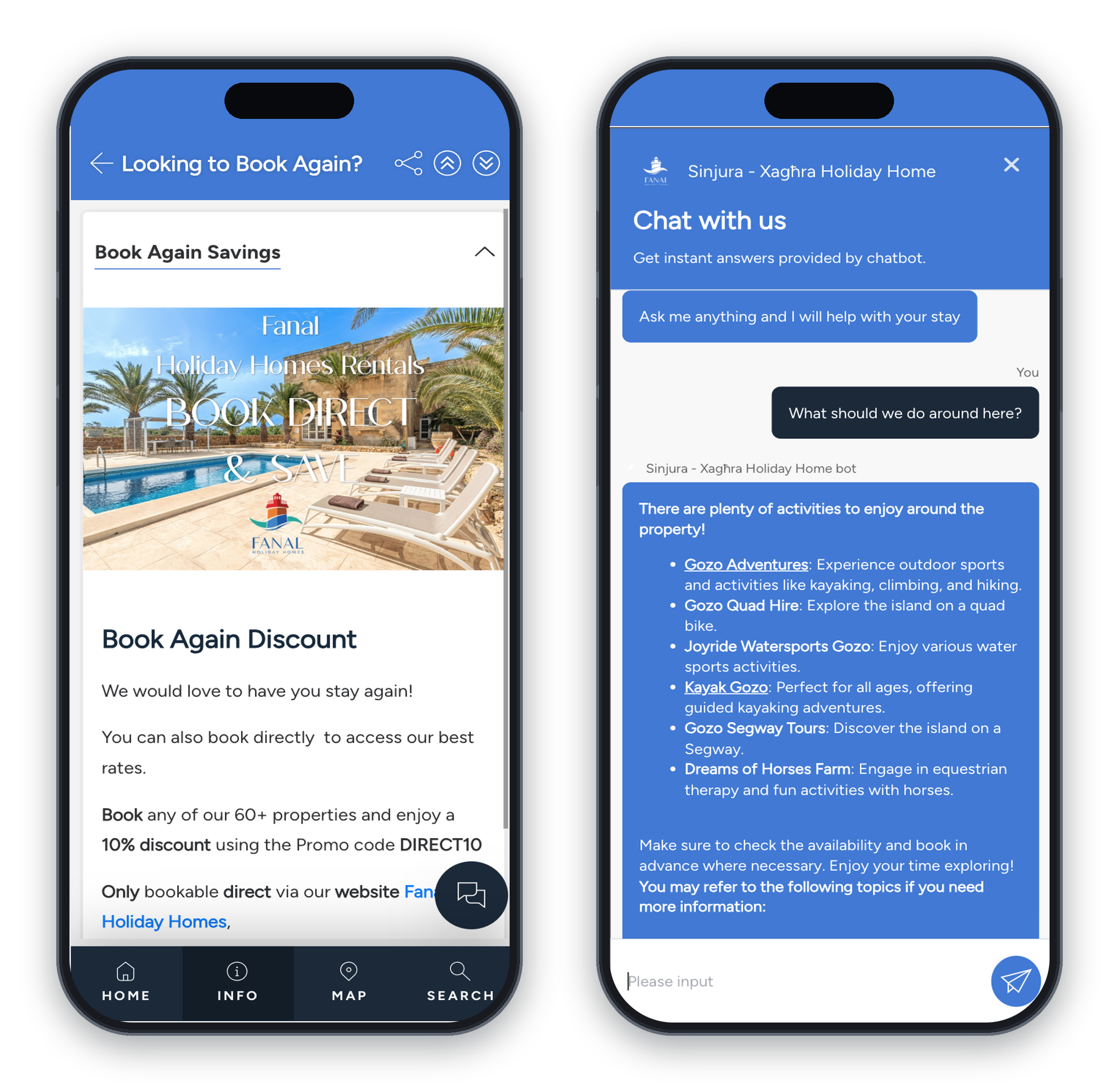
Automated arrival instructions, hotel guest communication software and request routing create breathing room. They don’t replace hospitality work. They remove copy-and-paste tasks from staff queues so people can focus on service recovery, exceptions and guests who need personal help.
Guests want control, but friction still damages the stay
In a recent study of US travelers, 70% of participants said they were likely to self-check in through an app or kiosk. The figure rose to 82% among Gen Z travelers, but it’s vendor-commissioned and US-specific, so it shouldn’t be treated as universal guest behavior.
Hospitality Technology’s 2024 Lodging Technology Study adds balance. In that study, 71% of operators viewed guest-facing technology as empowering, while 21% saw it as a possible source of friction. That gap matters. Self-service helps when it reduces uncertainty. It frustrates guests when the app fails, the lock code is unclear or there’s no obvious route to a human.
The market is moving from touchpoints to orchestration
The category is shifting from isolated guest touchpoints toward software that can trigger tasks and preserve guest context. A message should be more than a chat bubble. It should connect to the reservation, staff ownership and the next operational action.
Chat and check-in need to connect with upsells and service tasks if the guest experience platform is going to improve operations.
The 9 capabilities a guest experience platform should cover
No property needs every module on day one. Use the guest journey to separate must-have functionality from features that can wait until your core workflows are stable.
1. hotel guest communication software and messaging inboxes
A unified inbox should pull in OTA messages and email first. SMS, WhatsApp and web chat often belong there too, especially when guests switch channels during the same stay.
Hotel guest messaging software becomes useful when it does more than collect messages in one screen. Strong setups support templates and scheduled messages. They also handle routing, translation and human handoff, so automation doesn’t trap a guest inside a bad answer.
2. hotel digital check-in software
Hotel digital check-in software prepares the guest before they reach the desk or the door. It can collect pre-arrival registration details and digital agreements. ID capture, deposits and confirmation steps can happen before the arrival rush.
This matters most when arrivals happen outside staffed hours or when front-desk queues build quickly. A good flow confirms the right guest, the right reservation and the right arrival instructions before stress begins.
3. payments, deposits and identity workflows
Payment integration matters because card handling is one of the easiest places to create manual work and risk. Tokenization, preauthorization and incremental authorization let hotels manage booking charges, incidentals and checkout without repeated card entry. Stripe’s hotel integration guidance explains these mechanisms clearly.
4. digital guidebook software for hotels, STRs and apartments
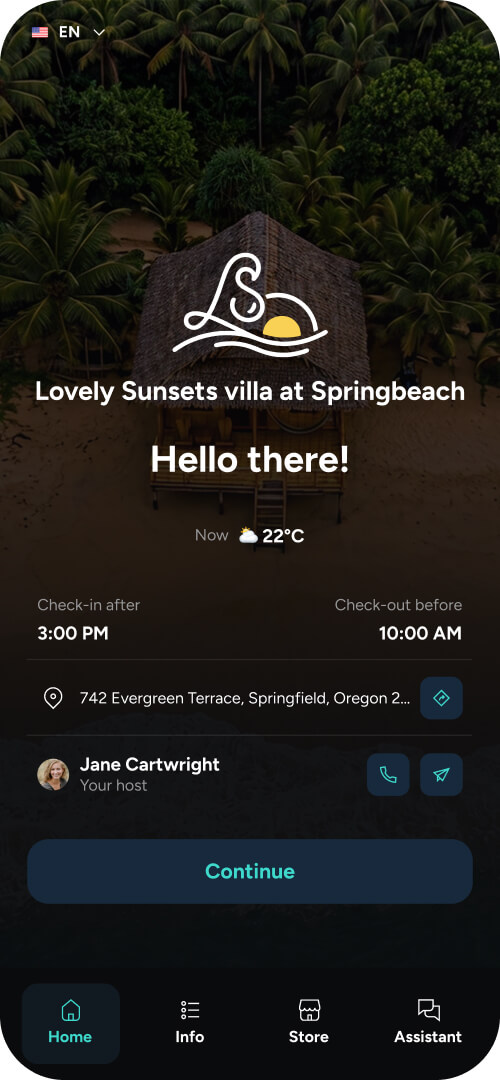
A digital guidebook, guest portal or lightweight guest app acts as the property’s source of truth. It should cover Wi-Fi, parking and house rules. It should also explain amenities, appliance instructions and local recommendations.
TouchStay is a guidebook-first example in this category. It supports mobile-friendly guest information, scheduled emails and SMS, and upsells inside the guide. It also includes feedback features, PMS/tool connections and a 14-day free trial with no credit card required.
A Reddit thread about Airbnb guidebooks shows the split operators often feel. One host thought guidebooks were easy to ignore, while another said their digital guide was used by nearly every guest and reduced questions.
The lesson is practical: guidebooks work best when they’re easy to open, short enough to scan and delivered at the right time.
5. smart access and key delivery
Digital keys and smart-lock codes support self-access properties, late arrivals and buildings without a staffed desk. They work best when the access message is clear, timed correctly and tied to the guest’s booking status.
Fallbacks matter because failed access is one of the highest-stress guest experience failures. Operators need a backup code, physical key route or staff escalation path. Hosts on Reddit often raise this exact concern with lock automation, especially when generic access messages go out before the host can control the wording.
6. hotel guest request software and task routing
Hotel guest request software is useful only when a request becomes a tracked task. An extra-towels message should have an owner, status and escalation path. A maintenance issue should create evidence of who saw it and what happened next.
The guest also needs closure. A fulfilled request should trigger a short confirmation or a staff follow-up. That final step prevents the guest from wondering whether anyone acted.
7. contextual upsells and ancillary revenue
Upsells work best when they feel useful inside the stay. Upgrades and early check-in can help before arrival. Late checkout, parking and breakfast may fit later in the journey.
Fulfillment decides whether an offer helps or creates work. A system that displays an offer is only halfway there. The better setup connects the offer to availability, payment and operational delivery, so staff don’t sell something they can’t provide.
8. feedback, surveys and review management
In-stay feedback gives staff a chance to recover before checkout. A guest who reports a noisy room, missing towel or broken appliance can still leave satisfied if the response is fast and visible.
Post-stay review workflows help operators collect reputation signals and respond more consistently. The aim is to listen earlier, route themes to the right team and keep public responses professional.
9. integrations, analytics and controls
Integrations are the connective tissue of a hotel guest experience platform. Start with PMS sync and channel-manager integration. APIs, permissions and audit logs matter when workflows touch payments, identity or access.
Analytics should show what happened and whether the workflow improved the baseline. You should be able to see response times, completion rates and failed-access incidents. Without that data, the platform can feel busy without proving impact.
What hotels, STRs and serviced apartments should prioritize
The same category looks different by property type because the operating model changes. A 120-room hotel, a 30-listing STR manager and a distributed serviced-apartment operator won’t buy the same way.
Start with the journey that creates the most guest friction or staff work. Then check which systems need to exchange data before that journey can run cleanly.
|
Property type |
First priorities |
Systems to integrate |
Common buying traps |
|---|---|---|---|
|
Independent and full-service hotels |
Departmental routing Multilingual messaging Guest recovery workflows |
PMS and payments POS or CRM Housekeeping and maintenance tools |
Buying a flashy app before fixing service queues |
|
Limited-service hotels |
Digital check-in Automated FAQs Mobile arrival information |
PMS and payment gateway Locks or kiosks |
Removing human help too aggressively |
|
Short-term rentals |
Channel coverage Pre-arrival instructions Smart-lock code delivery |
Vacation-rental PMS Channel manager Cleaner tools |
Picking a tool that misses OTA rules or edge cases |
|
Serviced apartments and aparthotels |
ID checks Deposits and agreements Access and maintenance workflows |
API-first PMS Access hardware Payment tools |
Treating long-stay operations like one-night hotel stays |
Independent and full-service hotels
Hotels usually need deeper integration than a standalone guest app can provide. A full-service property may connect the platform to the PMS and payments first. POS and CRM links often come next, followed by housekeeping or maintenance tools.
The buying focus should be departmental routing, multilingual messaging and queue reduction. Guest recovery workflows also matter because problems move across teams. A room issue may start at the front desk, require maintenance and end with a follow-up from guest services.
Limited-service hotels and lean operations
Limited-service properties often get the most value from digital check-in, automated FAQs and mobile-friendly arrival information. Smart access may also reduce desk pressure during late arrivals.
Keep a clear route to human help. Guests may be happy to skip the desk, but they still need quick support when payment fails, a code doesn’t work or a booking detail looks wrong.
Short-term rentals
STR operators should prioritize channel coverage and automated pre-arrival instructions. Smart-lock codes, cleaner coordination and review requests are usually close behind.
A mobile web portal or digital guidebook often beats an app download. There’s rarely a staffed front desk to coach adoption, and guests may stay only two or three nights. Guest experience software for short-term rentals needs to be fast to open and easy to trust.
Serviced apartments and aparthotels
Serviced apartments sit between hotel and STR requirements. They need identity checks, agreements and deposits. Access control, maintenance and housekeeping coordination also carry more weight across longer stays.
Guest experience software for serviced apartments should handle longer stays, multiple occupants and unit moves without pushing staff back into spreadsheets.
How guest experience software improves satisfaction, reviews and revenue
Hotel guest experience improves when software removes uncertainty, speeds up service and turns guest feedback into action. The value shows up in measurable operating patterns, not vague claims about delight.
It removes avoidable friction before arrival
Guests feel more in control when they know what to do next. Automated confirmations, directions and house rules reduce uncertainty before the stay starts. Access instructions and check-in reminders make the arrival moment less fragile.
This is one of the clearest ways guest experience software for hotels improves satisfaction. The guest doesn’t need to search an inbox, call the desk or guess where to park. The property also gets fewer avoidable questions during the busiest part of the day.
It makes in-stay service recovery visible
Tracked requests help staff catch problems before they become bad reviews. A guest complaint about air conditioning can trigger an owner and deadline instead of sitting inside a shared inbox.
Visibility matters for managers too. They can see first-response time, resolution time and escalations by department. That makes service recovery a managed workflow rather than a personal memory test.
It creates revenue when offers are timely and fulfillable
Upsells belong inside the guest experience when they match a real need. Early check-in helps a traveler arriving at 10 a.m. Parking helps a guest driving into a city property. A breakfast offer works only if the outlet can fulfill it.
It gives operators a baseline for ROI
A practical ROI model starts with incremental gross profit from upsells and direct bookings. Then add labor capacity released and avoided recovery costs. Subtract subscription, implementation and usage costs.
Every automated message isn’t a labor saving. If staff still need to watch the queue and fulfill the request, the benefit may be faster handling rather than fewer labor hours. Track the baseline before you buy, then measure whether the new workflow changes it.
Use metrics that match the journey you’re improving:
- Guest metrics: CSAT, review rating, complaint rate.
- Service metrics: first-response time, resolution time, check-in completion.
- Commercial metrics: ancillary revenue per stay, upsell conversion, repeat direct bookings.
- Operational metrics: messages per occupied room, staff minutes per reservation, failed-access incidents.
Pricing and total cost of ownership
Subscription price rarely tells the whole story. Guest experience software can look affordable at the license level and still cost more once integrations, messaging and rollout work are included.
Pricing models vary by segment and module
Pricing may be based on rooms, units, properties or active listings. Other vendors price by reservation volume, messaging use or AI consumption. Module bundles can make comparison harder because one quote may include payments or upsells while another treats them as add-ons.
The real budget includes implementation and usage costs
The quote should reflect the work needed to make the software useful. A low monthly fee can become misleading if the property still needs content production, data cleanup and paid integrations before launch.
Ask vendors to separate recurring software costs from setup and usage costs. Pay close attention to these items:
- PMS or channel-manager integration
- Content production and translation
- SMS or WhatsApp fees
- Payment processing and ID verification
- Lock hardware, kiosks or tablets
- Staff training and ongoing administration
A three-year quote is more useful than a monthly license
A monthly license can hide future costs. A three-year view helps you compare implementation fees, minimums, overages, renewal terms and support expectations.
Ask about data export and termination terms before signing. Then compare cost per occupied room and cost per resolved interaction. Those numbers reveal whether the platform is improving the business problem you set out to solve.
How to evaluate hotel guest experience software with PMS integration
Feature shopping can hide weak integration. Hotel guest experience software with PMS integration should prove that it can move data and tasks correctly during real guest scenarios.
Run demos around real journey scenarios
Ask vendors to demo a late arrival, failed lock and room move using realistic guest data. A polished happy-path demo won’t show how the system handles exceptions.
The best demos reveal staff ownership. Who receives the alert? What does the guest see? Does the task close back into the PMS or operating tool? If the vendor can’t show that flow, the integration may be shallow.
Check synchronization depth
Integration quality matters more than logo count. Ask which system owns each field, whether sync is real-time and bidirectional, and what happens during an API outage.
This question becomes sharper for STRs and properties with heavy third-party channel volume. OTA messaging rules can affect what gets sent, when it gets sent and which actions a third-party tool can perform.
Inspect security, consent and permissions
Security review should include role-based access and audit logs. Encryption, data retention and export/deletion tools also belong in the buying checklist.
If you serve GDPR-governed guests, consent must be informed and withdrawable. GDPR Recital 71 also calls for safeguards around significant automated decisions, including human intervention where needed. That matters when software profiles guests or automates actions that affect their stay.
Review accessibility and multilingual quality
Accessibility should be part of the demo when software becomes the main route to check-in, information or service requests. A guest who can’t use the flow will still need help, and the property needs to know how that fallback works.
Multilingual support also needs real testing. Generic demo translations don’t prove the software can handle property-specific terms, safety instructions or local transport details. Test the content guests will actually read.
Implementation plan: start with one journey before expanding
Rollout is an operations project, not a software switch. The safest way to start is with one high-volume guest journey and clear ownership for every step.
Map the minimum viable guest journey
Start with the path that most guests follow. A simple first journey is easier to test than a broad launch with every automation turned on.
Map the guest-facing steps and the staff actions behind them. A clean starting sequence might include:
- Booking confirmation
- Pre-arrival requirements
- Arrival or access
- In-stay help
- Checkout and review request
Advanced AI, deep segmentation and extra revenue campaigns can wait. If the basic journey is unclear, added automation will only spread the confusion faster.
Clean PMS data and guest content first
Templates and personalization depend on accurate source data. If arrival time, room type or guest name fields are messy, the automated message will expose the problem to the guest.
Guest-facing content needs the same care. Confirm Wi-Fi details and parking instructions. Check amenity hours and emergency contacts. A digital guidebook only works if staff trust the information enough to send guests there.
All of these details contribute to the wider guest experience, helping guests feel informed and supported from pre-arrival through to checkout.
Pilot one property, room type or journey
A limited launch gives you room to catch issues before they affect every guest. Pick one property, one room type or one journey with enough volume to produce useful feedback.
Monitor the pilot daily. Track guest questions, staff comments and failed steps. Keep phone, front-desk and physical-key fallbacks available while the new flow proves itself.
Train staff around ownership and escalation
Staff need to know which queue to monitor, when to intervene and how to close the loop. A new inbox without ownership becomes another place for requests to stall.
Training should focus on decisions, not only screens. Who handles billing questions? When does maintenance get escalated? Which guest messages need a human reply even if AI drafted the first response? Those answers decide whether the system improves the stay.
Risks, safeguards and where the category is heading
Risk is part of good buying. Automation, AI and connected platforms can improve operations, but only when guardrails match the actions being automated.
AI needs approved knowledge and human escalation
A Wi-Fi answer has lower risk than changing a booking, granting access or refunding money. AI should work from approved property knowledge and clear permissions.
Academic research on personalized hospitality technology identifies setup difficulty, privacy and reliability as adoption barriers, based on a 200-guest study. Use guardrails, logging and human handoff for complaints and safety issues. Billing and accessibility questions also need clear escalation.
Over-automation can create notification fatigue
Sending a message just because the system allows it is a fast way to train guests to ignore the channel. Good automation reduces uncertainty or triggers an action.
Review every scheduled message from the guest’s point of view. If it repeats known information or pushes an irrelevant offer, cut it. Fewer, better-timed messages usually produce a clearer journey.
Point tools can create a second fragmentation problem
A large all-in-one suite can be too rigid if it doesn’t connect well with your existing stack. A collection of point tools can create disconnected inboxes and duplicate profiles.
The category is likely moving toward a composable but unified experience platform. That means one guest profile and shared permissions. It also means multiple channels connected into PMS, payments, locks and operations.
Conclusion
Guest experience software pays off when it helps your team deliver the basics more consistently, respond faster and make the stay easier to understand. Start by mapping one high-volume journey, then choose the capability that removes the biggest bottleneck. Test that workflow before expanding into broader automation or a heavier all-in-one platform. If your immediate problem is scattered guest information, repetitive questions, feedback and simple upsells, TouchStay can be a low-friction starting point with a mobile-friendly digital guidebook and a 14-day free trial.
Frequently asked questions (FAQ)
When repetitive arrival questions start eating into service time, a guidebook-first layer is often the easiest place to begin. Touch Stay’s Digital Guidebook puts check-in instructions, Wi-Fi details, and local recommendations in one mobile-friendly guide, so guests don’t need an app to find the basics.
Give guests clear answers before your team has to reply.