

Summarize in
Digital guest experience tools for hotels and serviced apartments: the 2026 buyer's guide
Digital guest experience tools are software that handles guest communication and information delivery across the stay, from booking to review.
For hotels and serviced apartments the stack falls into seven categories: pre-arrival messaging, digital check-in, digital guidebooks, in-stay messaging, upsell and ancillary revenue, feedback and review capture, and post-stay rebooking. Most independent properties need three of the seven, not all of them.
This guide covers what each category actually does, which ones an independent hotel or serviced apartment operator needs first, and how to tell a genuine gap from a sales pitch.
In this article, we'll break down:
Hotel Guest Experience Tools vs STR Tools
A vacation rental host with three properties and a hotelier with forty rooms have the same underlying problem: guests have questions, and answering them one at a time does not scale. The constraints are different though.
|
Factor |
Independent hotel or serviced apartment |
Short-term rental |
|---|---|---|
|
Front desk |
Often staffed, sometimes part-time or remote |
Usually none |
|
Rooms sharing one information set |
Many |
One per property |
|
PMS |
Almost always present, often legacy |
Sometimes none |
|
Guest turnover |
High volume, short stays |
Lower volume, longer stays |
|
Brand consistency requirement |
High, it is the product |
Variable |
|
Who updates content |
Operations or front office team |
Owner |
The practical consequence is that hotels need tools that handle many rooms against one shared content set, and that survive being edited by whoever is on shift. Serviced apartments sit awkwardly in the middle: hotel-like volume, rental-like absence of a permanent front desk. That combination is exactly where digital tools earn their keep, and it is why serviced apartment operators tend to adopt earlier than either hotels or rentals.
We covered the broader shift in our hospitality experience guide for independent hotels and B&Bs, which is a good starting point if you are earlier in this process.
Categories of guest experience tools
|
Category |
What it does |
Typical purchase trigger |
|---|---|---|
|
Pre-arrival messaging |
Automated sequences before check-in |
Repetitive pre-stay emails |
|
Digital check-in and ID |
Online registration, ID capture, key issuance |
Queue at the desk, or no desk at all |
|
Digital guidebook |
Property and local information guests browse on their phone |
Same questions asked daily |
|
In-stay messaging |
Two-way chat during the stay, often via SMS or WhatsApp |
Requests arriving on five channels |
|
Upsell and ancillaries |
Selling extras such as late checkout, early check-in, transfers |
Flat RevPAR, no ancillary line |
|
Feedback and review capture |
Mid-stay pulse and post-stay review prompts |
Bad reviews you could have fixed |
|
Post-stay and rebooking |
Loyalty, direct rebooking, email capture |
High OTA dependency |
1. Pre-arrival messaging
The category with the most overlap and the most disappointment. Every PMS ships some version of it, most channel managers claim it, and the results depend almost entirely on timing rather than tooling.
The failure pattern is consistent. The property builds one pre-arrival email, schedules it for the day before check-in, and packs it with everything: directions, parking, house rules, breakfast times, spa offers, upsells. The guest is packing a suitcase and does not read it.
What to look for: reservation data merged into the message so it is specific, not generic. Send timing you control per message rather than one bulk template. And a link out to something browsable rather than trying to fit the whole stay into an email body.
Our guest communication study found that guests are split almost evenly between email and OTA app messaging, which means a single-channel pre-arrival sequence reaches roughly half your guests. That is worth knowing before you invest heavily in one channel.
2. Digital check-in and identity verification
Genuine operational value where regulation requires guest registration, which in much of Europe it does. Also genuine value for serviced apartments and aparthotels operating without a permanent desk.
Less useful than vendors suggest for properties with a staffed reception, because the check-in conversation is often where the relationship starts. Digitising it can remove the one moment a guest talks to a human.
What to look for: compliance with local registration law, integration with your lock system if you have one, and a fallback path for guests who will not or cannot complete it online. There is always a fallback path.
3. Digital guidebooks
.png?width=1080&height=1080&name=Bohemian%20bungalow%20(4).png)
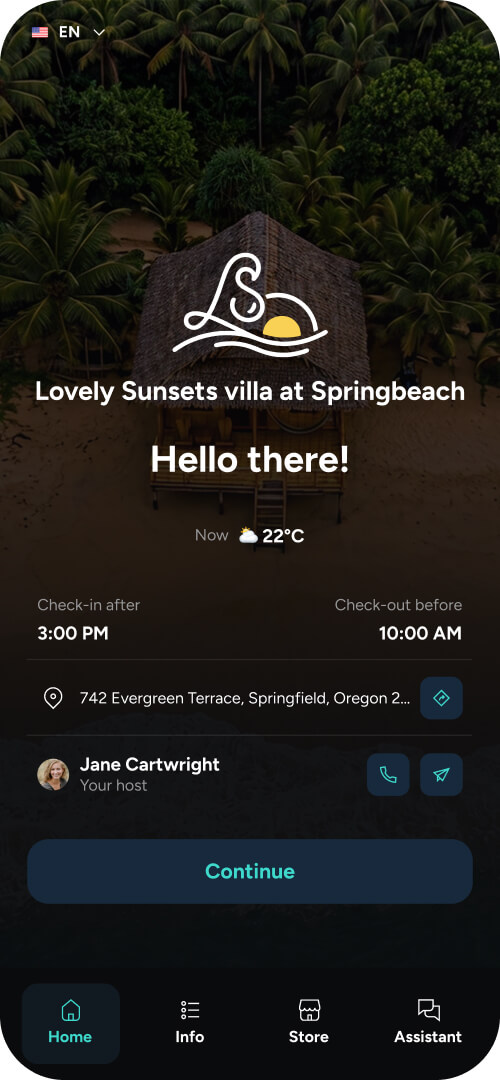
A digital guidebook is an online property guide guests open on their own device, containing check-in instructions, room and facility information, house rules, F&B details, local recommendations and emergency contacts. It replaces the printed compendium.
This is our category, so treat what follows with appropriate suspicion and check it against sources who have no stake in the answer.
The case for it is straightforward. Printed directories go out of date the moment anything changes, and a meaningful share of guests never open them. A digital version updates once and appears current in every room immediately.
The case against, or at least the honest limitation: a guidebook only helps with information problems. If your issue is that housekeeping is slow or the boiler is broken, no guidebook fixes that. We wrote about the guest experience failures that software cannot solve, which is a useful counterweight to vendor optimism including ours.
What to look for: works in a browser without an app download, updates propagate across all rooms at once, supports QR entry for in-room placement, multiple languages if you take international guests, and offline access if connectivity is unreliable.
For the practical build, our guide to creating an online welcome book walks through structure and content section by section. If you want to see what goes in one before committing to a platform, our list of the guest questions worth answering upfront is a reasonable starting checklist.
4. In-stay messaging
The distinction that matters: unified inbox versus another inbox. If a tool consolidates SMS, WhatsApp, email and OTA messages into one thread per reservation, it reduces work. If it adds a seventh place staff have to check, it adds work.
For hotels with a staffed desk this is often a nice-to-have. For serviced apartments with remote operations it is close to essential.
What to look for: genuine channel consolidation, per-reservation threading, and a way to hand a conversation between shifts without losing context. Our guide to hotel communication compares the main approaches in more detail.
5. Upsell and ancillary revenue
The most underused category in independent hospitality, and the one with the clearest data behind it.
Across Touch Stay network data, the two most purchased extras are late checkout and early check-in, in that order. They are also the two extras guests say they would buy when surveyed, in the same order. Stated preference and actual purchase rarely line up that neatly.
The reason properties do not collect this revenue is usually not pricing. In our guest research, the single most common reason guests gave for not buying an extra was that they did not know it was available. Not too expensive, not untrusted, simply unseen.
That is a placement problem, not a product problem. Extras need to live somewhere the guest browses voluntarily, before and during the stay, rather than in a notification that arrives at the worst possible moment.
What to look for: the offer sits inside something guests already open, payment happens without leaving that context, and you can vary availability by room type or date.
6. Feedback and review capture
Two different jobs often sold as one.
Mid-stay feedback exists to catch problems while you can still fix them. Post-stay review prompting exists to increase review volume and rating. The first protects your score, the second grows it.
What to look for: mid-stay prompts that route to a human quickly, and post-stay prompts that comply with the review policies of whichever platforms you list on. Some review-gating tactics violate OTA terms. Check before you switch anything on.
7. Post-stay and rebooking
The weakest-performing category across the board, and not because the demand is missing.
Touch Stay network data shows the rebooking section of a guidebook is among the least-viewed sections there is. Meanwhile a clear majority of guests report having returned to a property they liked. The demand for repeat stays is substantially larger than what most properties capture, because the ask is placed where nobody is looking.
What to look for: email capture at a point in the journey where the guest is engaged rather than departing, and a rebooking prompt that appears during the stay rather than only after it.
What to buy first for your hotel
Most independent properties do not need seven tools. A sensible sequence:
The goal isn't to add more software for its own sake, but to build a connected guest experience across the moments that matter most.
- Digital guidebook. Highest ratio of questions removed to money spent, and it becomes the surface every other tool plugs into.
- Pre-arrival messaging, if your PMS does not already do it competently. Check first, you may already own this.
- Upsell capability, once the guidebook exists, because it needs somewhere to live.
Then, depending on your situation:
- Digital check-in if you are unstaffed, or if local registration law requires it.
- In-stay messaging if requests are arriving on more than three channels.
- Feedback capture if your reviews mention problems you could have fixed during the stay.
Post-stay and rebooking tools last. They are the hardest to make work and the easiest to get wrong.
Integration reality check
Three questions to ask any vendor before signing, in this order.
Does it integrate with our PMS, natively? Not via Zapier, not on the roadmap. Ask for the name of another property on your PMS using the integration in production.
What happens when reservation data changes? A guest extends by a night. Does the guidebook, the check-in link and the upsell window all update, or does someone do it manually?
Who on our team can edit this on a Tuesday afternoon? If the answer requires a specialist, adoption dies within a quarter.
How to evaluate a shortlist of PMS
Score honestly against these. Anything scoring low on the first three is not worth the trial.
|
Criteria |
Why it matters |
|---|---|
|
Guest-side friction |
Any download requirement cuts usage sharply |
|
Update propagation |
One edit reaching every room, or forty manual edits |
|
Team editability |
Whoever is on shift can fix a wrong phone number |
|
PMS integration depth |
Reservation sync, not just a data export |
|
Language support |
Relevant if more than a small share of guests are international |
|
Brand control |
For boutique properties this is the product, not decoration |
|
Analytics |
Which sections guests actually open tells you what to fix |
Frequently asked questions