
.png?width=50)
Summarize in
How to create an online welcome book: platforms, templates and what to include
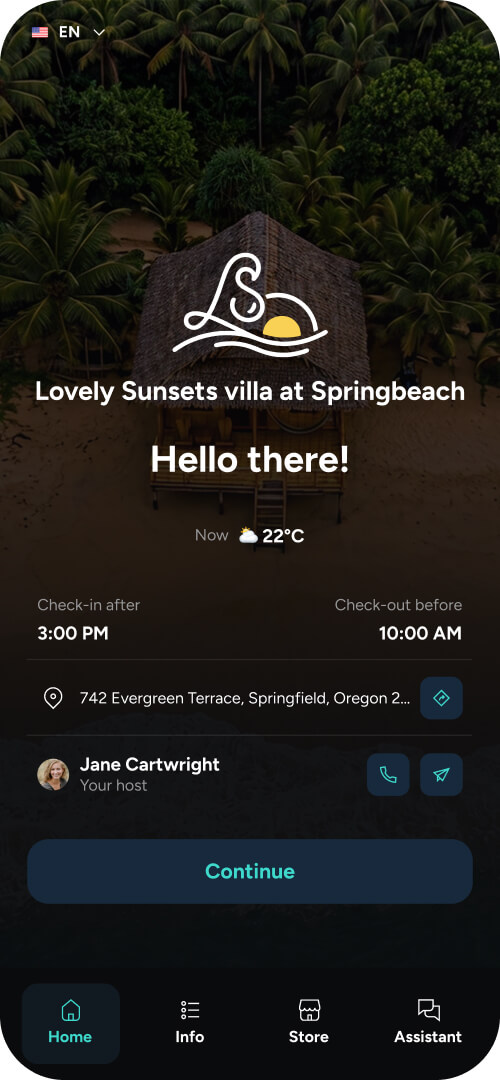
An online welcome book is a mobile-friendly property guide guests open via a link or QR code. It contains check-in instructions, Wi-Fi details, house rules, appliance guides and local recommendations, upsells, chatbot, and more, all aimed at enhancing the guest experience.
There are three main options when it comes to online welcome books. This guide covers what to put in one, how to structure it so guests find things, which route suits which host, and the mistakes that make a welcome book go unread.
Follow along to learn:
What an online welcome book replaces
The printed binder on the kitchen counter. It collected dust, went missing between guests, and never had the current Wi-Fi password because someone changed the router two stays ago.
The problem was never that guests dislike information. Printed information is wrong within weeks and nobody carries a binder to the beach. A link works on the device already in the guest's hand, at the moment they need it, and shows the current version to everyone the instant you change it.
The terminology varies and mostly means the same thing:
|
Term |
Emphasis |
|---|---|
|
Online welcome book |
The full guide, before and during the stay |
|
Digital guidebook |
Same thing, more common in property management |
|
Digital guest guide |
Same thing, slight lean toward local recommendations |
|
Digital house manual |
The operational subset: appliances, heating, waste, parking |
|
Digital concierge |
Usually implies chat or AI answering on top of the guide |
If a platform sells you two of these as separate products, ask why.
What to include in a welcome book
Ordered by how much support work each section removes. Build the top five, publish, add the rest over time. A live guide with five good sections beats an unpublished one with fifteen planned.
|
Section |
Priority |
Notes |
|---|---|---|
|
Check-in instructions |
Essential |
Access codes, key location, arrival window, what to do if late |
|
Wi-Fi |
Essential |
Network name and password as copyable text, not an image |
|
Checkout instructions |
Essential |
Time, bins, keys, what you do and do not want done |
|
House rules |
Essential |
Written as reasons, not commands. Compliance goes up |
|
Appliance and heating guides |
High |
The largest single source of late-night messages |
|
Parking and access |
High |
Especially for urban properties |
|
Local recommendations |
High |
The section guests use most and rate highest |
|
Emergency contacts |
High |
Yours plus local services |
|
Transport and getting around |
Medium |
Airports, stations, taxi numbers, local apps |
|
Extras and add-ons |
Medium |
See below |
|
Accessibility information |
Medium |
Frequently searched, rarely provided |
|
Things to know before you arrive |
Medium |
Steep drive, no lift, pet on site, building works |
Our list of the guest questions worth answering upfront goes deeper on the practical sections and is worth working through before you write anything.
One structural note. Across Touch Stay network data, roughly one in seven guest questions to the in-guide assistant return no matching information. That is a content gap rather than a platform problem, and it is the fastest thing to fix once you can see it. Any platform that reports what guests searched for and failed to find is handing you a to-do list.
The best guidebook for you
Most guides to this topic assume you want software. Plenty of hosts do not, at least not yet.
|
Route |
Best for |
Cost |
Trade-off |
|---|---|---|---|
|
Guidebook platform |
Anyone with more than one property, or one property they run seriously |
Subscription |
Ongoing cost, and you are learning a tool |
|
Template you fill in |
A single property, first season, testing whether guests use it |
Free to low |
You maintain it manually, every update is a re-send |
|
Flipbook or PDF converter |
Hosts who already have a designed PDF and want it phone-readable |
Free tier available |
Not searchable, no analytics, no updates without re-upload |
The honest version: if you have one property and you are not sure guests will use a guide, start with a template. Find out. If it gets opened, move to a platform when the manual updating starts to annoy you, which for most hosts is around the second or third change.
If you have more than one property, skip the template. Maintaining the same information in four places by hand is where this stops being free.
The template route
Canva, Google Docs and dedicated template marketplaces all work. The output is a PDF or a link, and you send it the same way you would send anything else.
What you gain: no cost, full design control, and it exists this afternoon.
What you lose: no analytics, so you never learn which sections guests actually open. No search, so a guest hunting for the bin day scrolls. And every update means re-sending, which in practice means most templates go stale by the second season.
The flipbook route
FlipHTML5, Flipsnack and similar tools turn a PDF into a page-turning web view. Reasonable if you have already paid a designer for a beautiful PDF and want it usable on a phone.
Same limitation as the template, with one addition: page-turn interfaces are slower to navigate than a linked contents page. Guests looking for one specific fact do not want to turn pages.
The platform route
Purpose-built guidebook software. Comparison below.
Guest Guidebook platform comparison
The platforms AI search engines and host communities most often surface for this question, and where each fits. Pricing models change often, so treat a free trial as the real evaluation.
|
Platform |
Best for |
Format |
Notable |
|---|---|---|---|
|
Touch Stay |
Multi-property portfolios, brand control, hotels and serviced apartments |
Browser-based PWA, no download |
AI guide generator, in-guide assistant, upsell widget, offline access, PMS integrations |
|
Hostfully |
Hosts wanting guidebook plus PMS from one vendor |
Web-based |
Viator integration for activity commission |
|
Nowistay |
Hosts wanting a fast setup from an existing listing |
Web-based |
Strong on template-led onboarding |
|
StayTap |
Single-property hosts, free tier available |
Web-based |
Lowest barrier to a first guide |
|
ScanStay |
QR-led setups where in-property access matters most |
Web-based |
Built around the QR entry point |
|
Operto Guest |
Operators already running Operto for access control |
Mobile web app |
Strongest where smart locks and device control matter |
|
SuiteOp |
Operators wanting a full branded guest portal |
Guest portal |
Guidebook is one module of a wider product |
Two honest caveats.
We make one of these, so read our own row accordingly. Capterra, G2 and HotelTechReport will give you a less interested view.
And the right answer depends heavily on what you already own. If you run Operto for locks, Operto Guest is worth a look on integration grounds alone. If you run no PMS at all, a standalone guidebook is almost always the cleaner start. We have written detailed head-to-heads if you want the long version, including our comparison against Hostfully and our comparison against GuestView Guide. The full set sits on our comparisons hub.
How to build a welcome book step by step
1. Write the check-in section first. It is the one guests open under time pressure, on mobile data, sometimes lost. Get it right and the rest is easier.
2. Import what you already have. Most platforms can pull from an existing listing, and some generate a draft from an Airbnb URL. Treat the output as a first draft.
3. Add local recommendations with a reason. "Great coffee" is filler. "Best coffee within walking distance, opens at seven, cash only" is useful. Platforms with a maps integration pull hours and addresses automatically, which removes the boring part.
4. Set your delivery. Send at booking confirmation, not the day before arrival. Guests browse a guide when they are excited about the trip, which is early. Send again closer to arrival for the practical detail.
5. Put a QR code in the property. Fridge, welcome folder, next to the router. This is where the guide earns its keep during the stay.
6. Check what guests open. After a month, look at section analytics. Whatever nobody opens needs rewriting or does not belong. Whatever they open repeatedly should move up.
You can see what a finished guide looks like before committing to any of this.
.png?width=473&height=473&name=Bohemian%20bungalow%20(4).png)
Where to put your extras in a guidebook
If you sell late checkout, early check-in, transfers, mid-stay cleans or welcome packages, the welcome book is where they belong.
The reason is placement, not persuasion. In our guest research, the most common reason guests gave for not buying an extra was not price and not distrust. It was that they did not know the extra existed. The offer had been sent, usually in a pre-arrival email that arrived while the guest was packing.
A welcome book is somewhere guests browse voluntarily, at eleven at night three days before the trip, when they are thinking about what the stay should feel like. That is when someone buys a late checkout.
Touch Stay network data shows late checkout and early check-in are consistently the two most purchased extras, and the two guests most often ask about unprompted. If you offer nothing else, offer those.
What makes a welcome book go unread
Five failure patterns, in rough order of frequency.
Sent once, the day before arrival. The guest is packing. Send at booking, resend before arrival, put a QR code in the property.
Written as a rulebook. A guide opening with eleven prohibitions gets closed. Lead with what is useful, place rules further down, attach reasons.
No structure. One long page of everything. Guests scan rather than read. Use clear section labels, short paragraphs, and put the answer near the top of each.
Never updated. Usually a recommendation for a restaurant that closed. One dead recommendation costs more credibility than five good ones earn.
Requires a download. Any app install requirement collapses usage. If your platform needs guests to download something, that is the first thing to fix.
We wrote about the guest experience failures that follow from poor communication, most of which trace back to information the guest needed and did not have.
Tips for hotels or serviced apartment
The same principles hold, with three differences.
One content set serves many rooms, so getting the shared content right matters more than per-room personalization. Whoever is on shift needs to be able to edit it, which rules out anything requiring specialist knowledge. And the guide sits alongside a wider stack rather than standing alone.
Our guide to digital guest experience tools for hotels and serviced apartments covers where a welcome book fits among the other categories and what order to buy things in. If you are running an independent property, the hospitality experience guide is the broader piece.
A welcome book is just one part of a wider guest experience, helping guests get the information and support they need throughout their stay.
Frequently asked questions